Fresh from Shipaton

2026Shipaton
CategoryGames
DeveloperJessy Viranaiken
iPhone · iPad · Mac




About this app
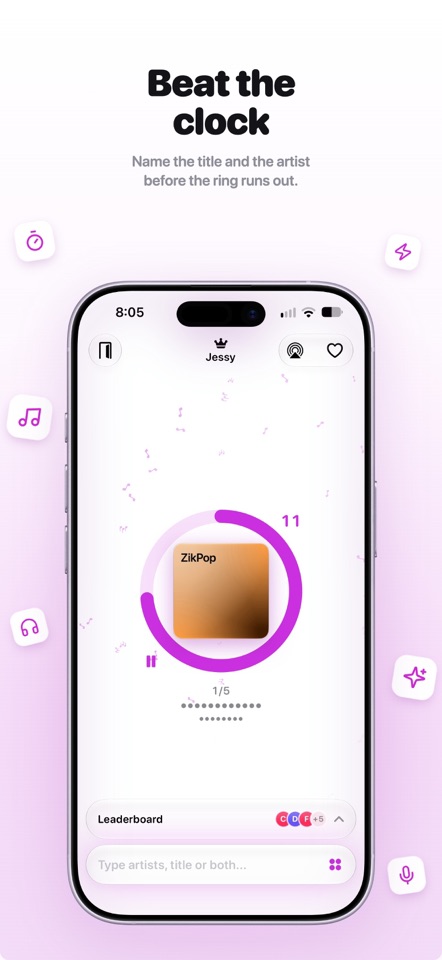
An excerpt starts. Fifteen seconds. The room goes quiet, then everybody talks at once. ZikPop turns Apple Music playlists into a music quiz. One phone plays the song out loud, everyone else answers on theirs. No account, no sign-up, no setup: the other players just appear. HOW IT WORKS 1. One player creates the game and picks an Apple Music playlist. 2. The others join from their own phone, in the same room. 3. An excerpt plays. You type whatever you recognise. 4. The leaderboard settles it. ONE FIELD, ANY ORDER Title, artist, or both. The band first or the song first, it makes no difference. ZikPop works it out. No dropdown, no spelling to get right. Write it as it comes. ANY PLAYLIST WORKS A decade, a genre, a single artist: take whatever you like. ZikPop reads the playlist and adjusts. Several artists, you find both. One artist, it gives you the name and leaves you the titles. KEEP WHAT YOU DISCOVERED That song nobody could name and everybody asked about afterwards: one tap and it joins a ZikPop playlist in your Apple Music library. The night ends, the playlist stays. FREE TO PLAY, PAID TO HOST Playing ZikPop costs nothing, and never will. Solo mode and joining a friend's game are free for life: no game limit, no ads, no account to create. What you pay for is hosting: being the one who picks the playlist and starts the music for the whole room. Try it for free before you pay anything. After that, a one-night or one-week pass, bought once, that does not renew. Or a monthly or yearly subscription if you host often. One host is enough for a whole night. Everyone else plays free. WHAT YOU NEED Everyone on the same local network, and an internet connection for the host alone: they are the one fetching the music. No Apple Music subscription is required to play. It adds your own playlists and lets you keep the songs you heard. SUBSCRIPTIONS Subscriptions renew automatically and are billed to your Apple Account. Renewal continues unless cancelled at least 24 hours before the end of the current period. You can manage and cancel your subscriptions in your Apple Account settings. Passes are one-off purchases: they do not renew. Terms of Use: https://www.apple.com/legal/internet-services/itunes/dev/stdeula/ Privacy Policy: https://cardinaljv.github.io/ZikPop/


