Fresh from Shipaton

2026Shipaton
CategoryBusiness
DeveloperKazuya Takeuchi
iPhone · iPad



About this app
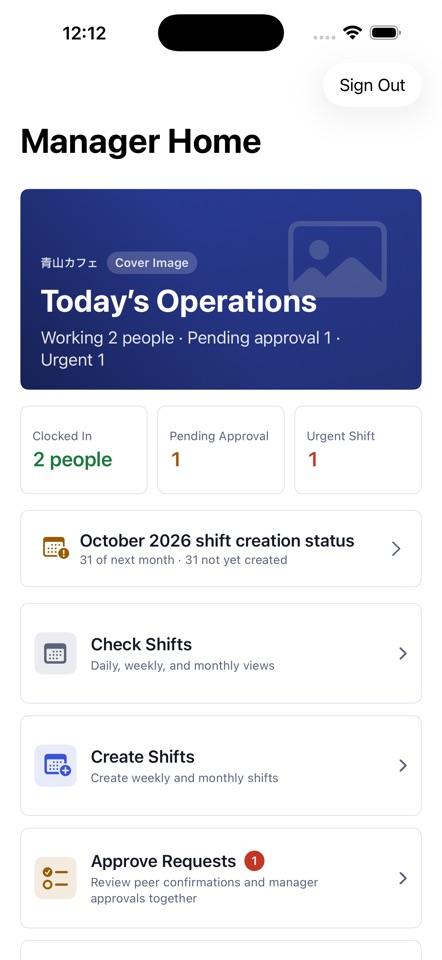
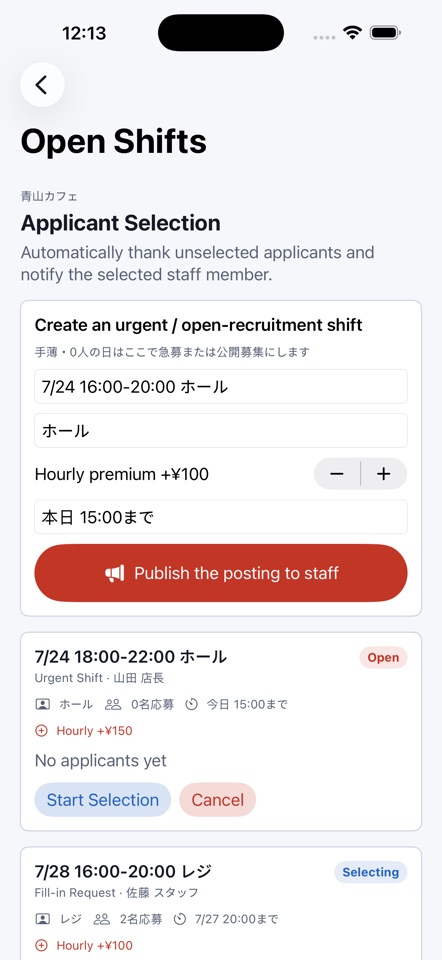
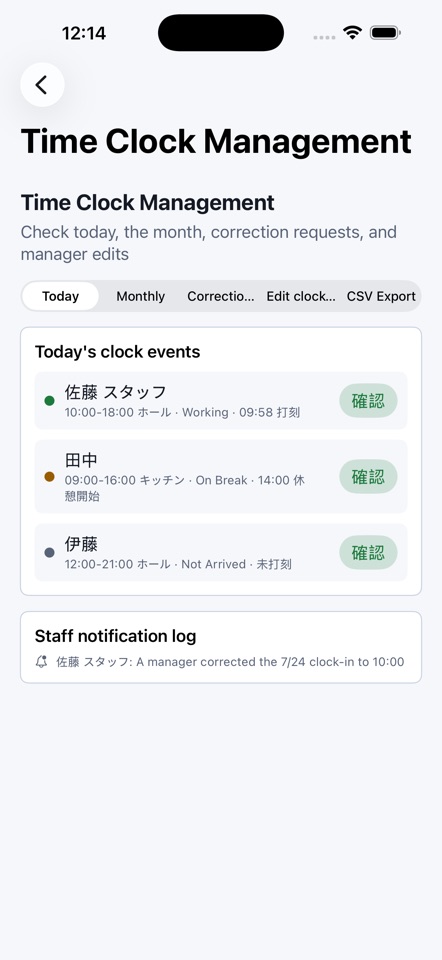
The schedule is done. But preferences, swaps, last-minute gaps and clock-in checks still live in group chats and on paper. Shift Management Agent puts all of it in one app. ONE APP, A VIEW FOR EACH ROLE Sign in and you get the screens for your role. Managers build and approve. Staff check their shifts, submit preferences and clock in. BUILD THE SCHEDULE (MANAGERS) Set positions and daily headcount, then build weekly or monthly schedules with staff preferences and attributes in view. Published shifts appear as a daily Gantt chart, a weekly heatmap and a monthly coverage view. PREFERENCES AND CHANGE REQUESTS (STAFF) Submit preferred days and time slots for next month. After shifts are published, request a change in one of four ways: a swap, a time change, registering a swap agreed in person, or a fill-in request. Every request needs manager approval before it changes the schedule, so nothing stays a verbal promise. For swaps, the other person accepts or declines in the app first. Managers who work shifts can submit preferences too. OPEN SHIFTS FOR LAST-MINUTE GAPS Managers publish an open shift, staff apply, and the manager picks one applicant. Everyone else gets an automatic thank-you, so nobody writes the "sorry, not this time" replies by hand. TIME CLOCK AND NO-SHOW VISIBILITY Staff clock in, take breaks and clock out in the app. On the manager's schedule, anyone not clocked in turns yellow shortly before their start time and red after it. Managers set both thresholds in minutes. Past days keep the red mark if no clock-in was recorded. YOUR TEAM'S DATA STAYS WITH YOUR TEAM Each company or store (department) is kept separate. Staff join with a manager's invite code and see only their own department's shifts and their own information. The database enforces this too (row-level security), so other departments' data does not reach your device. Run more than one location? Add departments under one account, switch between them, move staff in bulk, and archive a department without losing time records. DETAILS - Invite codes expire after 7 days and can be regenerated any time. Invite emails open in your mail app, pre-filled - Export time records, shifts, members and preferences as CSV - Results of requests and open shifts appear in the in-app notification log (only items for you) - Delete your account from Settings in the app PRIVACY AND NETWORK USE - Your account (email and password), departments, members, shifts, preferences, requests and time records are stored in the developer's cloud database (Supabase) and shared within your department - Email verification and password reset use a 6-digit code sent by email - No camera, photo, location or contacts permissions are requested. Clocking in does not use your location - Subscription status is managed through RevenueCat, which receives only App Store purchase data and an organization ID, never shift or time-clock contents, names or emails - No analytics SDK is included - See the privacy policy for details REQUIREMENTS - iOS 18.0 or later - iPhone and iPad PRICING AND SUBSCRIPTION - Staff use the app for free. The Manager Plan is a monthly auto-renewing subscription with a 14-day free trial - Plans are by total members on shifts in one account: up to 15 / 30 / 60 / 120 / 200 people, 1 month each. Your regional price is shown in the app before you confirm - Charged to your Apple Account at confirmation of purchase. Renews automatically at the same price and period unless auto-renew is turned off at least 24 hours before the period ends - Manage or cancel in Settings > Apple Account > Subscriptions - Privacy Policy: https://bittersweets-art.github.io/sweets-apps-privacy/shiftmanager/en/ - Terms of Use (EULA): https://www.apple.com/legal/internet-services/itunes/dev/stdeula/ CREDITS AND TRADEMARKS - Apple, App Store, iPhone and iPad are trademarks of Apple Inc. - Shift Management Agent is not provided, endorsed by, or affiliated with Apple Inc.


