Fresh from Shipaton

PasteZero
PasteZero is a macOS app for cleaning and formatting text and documents.
Loading activity…
2026Shipaton
CategoryProductivity
DeveloperAndre Aing
Mac


About this app
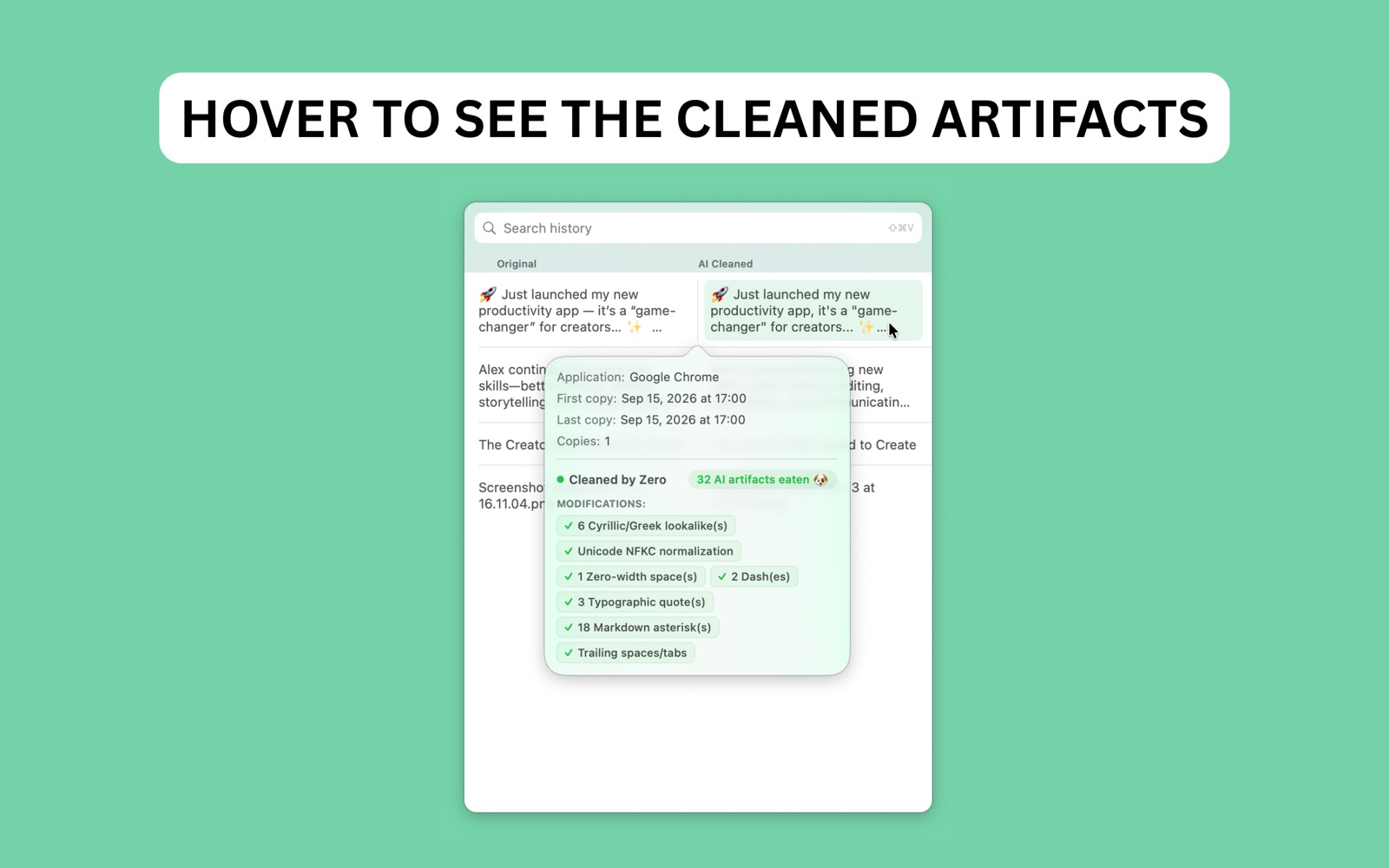
PasteZero is a macOS app for cleaning and formatting text and documents. PasteZero removes unwanted AI-related text artifacts and formatting from your content, including em dashes, invisible characters, strange spacing, and other patterns that can make copied text look machine-generated. CLEAN DOCUMENTS Have a document that needs cleaning? Drag and drop a .pdf file onto PasteZero window. PasteZero processes the document and shows you the cleaned and formatted version, while keeping your original file completely untouched. Review the result, make sure everything looks right, and save your cleaned version. CLEAN YOUR CLIPBOARD Keep using the shortcuts you already know. 1. Copy Press ⌘C to copy any text normally. 2. Open PasteZero Press ⌘⇧V to open PasteZero and choose something from your clipboard history. 3. Paste Press ⌘V to paste your selected item wherever you need it. For each clipboard item, you can compare the original text with the cleaned version and choose exactly which version you want to use. PasteZero fits into your existing workflow without changing how you normally copy and paste. FEED ZERO A FILE Have a document full of unwanted AI artifacts? Just drag and drop a .pdf file onto Zero (the dog dock icon) in your Dock. Zero cleans the content and creates a separate cleaned copy while leaving your original file completely untouched. BUILT FOR macOS PasteZero lives in your menu bar and works wherever you can copy and paste text. Built for macOS 14 Sonoma and higher. 3-DAY FREE TRIAL Enjoy full access to PasteZero with a 3-day free trial. After the 3-day free trial, an in-app one-time purchase is required to unlock continued access to all features of the app. Privacy Policy: https://www.pastezero.com/privacy-policy Terms of Use: https://www.pastezero.com/terms-of-service Standard Apple Terms of Use (EULA):** https://www.apple.com/legal/internet-services/itunes/dev/stdeula/


