Fresh from Shipaton

Music Generator: ReelMusic
Your business account can't use the music everyone else uses.
Loading activity…
2026Shipaton
CategoryMusic
DeveloperRoman Koch
iPhone · iPad


About this app
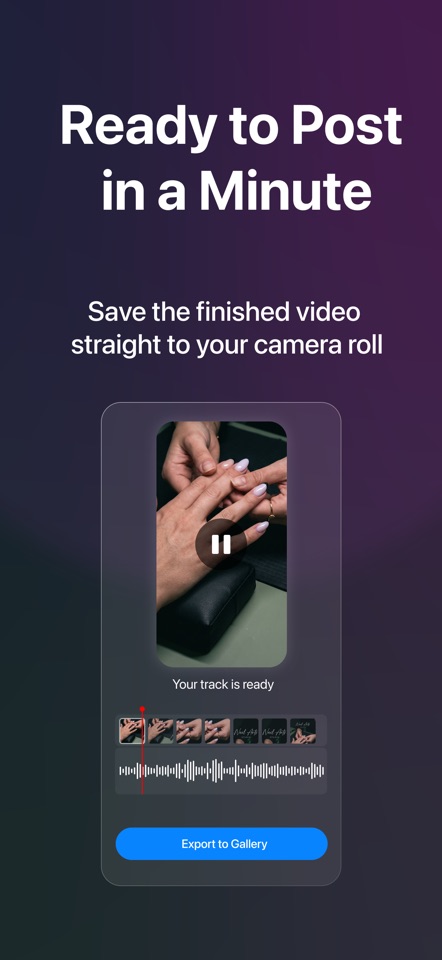
Your business account can't use the music everyone else uses. ReelMusic fixes that: point it at a video, and it composes an original soundtrack made for that exact clip — royalty-free and safe to post. No prompts to write. No catalog to dig through. No desktop editor. Just the video you already shot and a track that fits it. THE PROBLEM YOU ALREADY KNOW The moment you switch to a Business or Professional account, the music library collapses. The songs driving everyone else's videos are licensed for personal use only — so you get muted audio, blocked posts, takedown warnings, or a small shared library that makes every video sound the same. ReelMusic sidesteps the problem. Every track is composed from scratch for your clip, so there is nothing to clear and nothing to take down. HOW IT WORKS 1. Add your video Pick a clip from your library. That's the entire brief — you never have to describe the music you want. 2. ReelMusic watches it It reads the mood, the energy and the cut rhythm of your footage, then tells you what it heard in plain words: "Fast-paced workout clip — high energy, driving rhythm." 3. You steer, lightly One tap on a vibe — Suggested, Cinematic, Epic, Calm, Electronic — and a Safe-to-Surprising slider if you want to push it. Skip both and the defaults do the work. 4. It composes your track An original soundtrack, built for this clip, in about a minute. Don't love it? Generate another version and audition them against the video side by side. 5. Score it to your cuts Slide the track so the drop lands on your reveal. Set fade in and fade out. Balance the music against your original audio. 6. Save to Photos Export the finished video with its soundtrack straight to your camera roll, ready to post anywhere. WHY CREATORS AND BUSINESSES USE IT - Royalty-free, cleared for commercial use — no strikes, no mutes, no takedowns - Composed for your clip, not pulled from a shared library, so your videos don't sound like everyone else's - Video-first: the footage is the brief, so you need zero music knowledge - Position, trim and fade the track so it lands on your edit, not just over it - Perfect for silent footage — screen recordings, product shots, b-roll and walkthroughs that have no usable audio - Everything on your iPhone, from import to export BUILT FOR Small business owners running their own social accounts. Cafés, gyms, studios, salons, shops and restaurants. Real estate agents and coaches. Freelancers and consultants building a personal brand. Social media managers handing finished, cleared work to clients. SUBSCRIPTION ReelMusic requires a subscription. You can choose a weekly, monthly, 6-month or annual plan — every plan unlocks the whole app: analysis, composition, editing and export. New subscribers on the weekly plan start with a 3-day free trial. Payment is charged to your Apple Account at confirmation of purchase. Subscriptions renew automatically unless auto-renew is turned off at least 24 hours before the end of the current period. Your account is charged for renewal within 24 hours prior to the end of the current period. You can manage your subscription and turn off auto-renewal in your Apple Account settings after purchase. Any unused portion of a free trial is forfeited when you purchase a subscription. Terms of Use: https://reelmusic.app/terms Privacy Policy: https://reelmusic.app/privacy


