Fresh from Shipaton

MaskFrame: Redact Mosaic Blur
Cover what you didn't mean to share.
Loading activity…
2026Shipaton
CategoryUtilities
DeveloperVladimir Khuraskin
iPhone · iPad


About this app
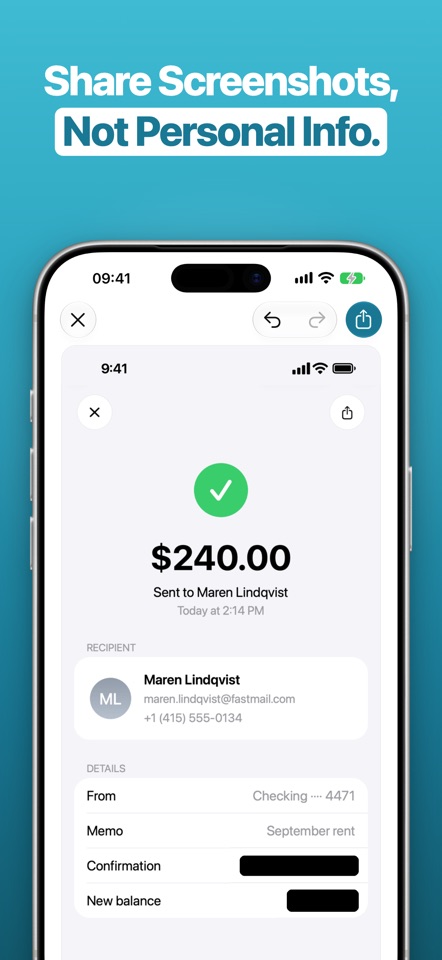
Cover what you didn't mean to share. MaskFrame finds the personal details in a screenshot on your iPhone and covers them. You review every mask, cover anything it missed, and share the copy. WHAT IT FINDS Card numbers, IBANs, phone numbers, email addresses, verification codes, IP addresses and map coordinates come from pattern checks that run on every screenshot. Faces and QR codes come from image detection. With Apple Intelligence, MaskFrame also reads the screenshot for context and catches what no pattern can describe: an account balance, a name in a chat, a street address, a date of birth. YOU DECIDE Tap a mask to uncover what sits under it, hold to remove it. Drag a box over anything MaskFrame missed. You can undo and redo your edits, and you see the finished image before the share sheet opens. SOLID BY DEFAULT MaskFrame uses solid masks by default. In the copy you share, they replace the covered pixels with a solid color. You can also choose pixelate or blur in the style menu, but someone may still be able to recover the hidden details. FROM THE SHARE SHEET Take a screenshot, tap Share, pick MaskFrame. The editor opens with the suggestions already on your image. ONE A DAY, FREE One screenshot a day is free, with everything MaskFrame does. MaskFrame Pro removes the daily limit with a single purchase. No subscription. ON DEVICE MaskFrame analyzes your screenshot on your iPhone. No server of our own, no account, no analytics. Requires iOS 26. Apple Intelligence needs iOS 27 and iPhone 15 Pro or later. Without it, the pattern checks and image detection still run. Privacy Policy: https://maskframe.app/privacy/ Terms of Use: https://maskframe.app/terms/


