Fresh from Shipaton

Kanji Kaku: Write Japanese
Kanji Kaku turns your iPad into a quiet, paper-style practice book for writing Japane…
Loading activity…
2026Shipaton
CategoryEducation
DeveloperKaylo Labs
iPad



About this app
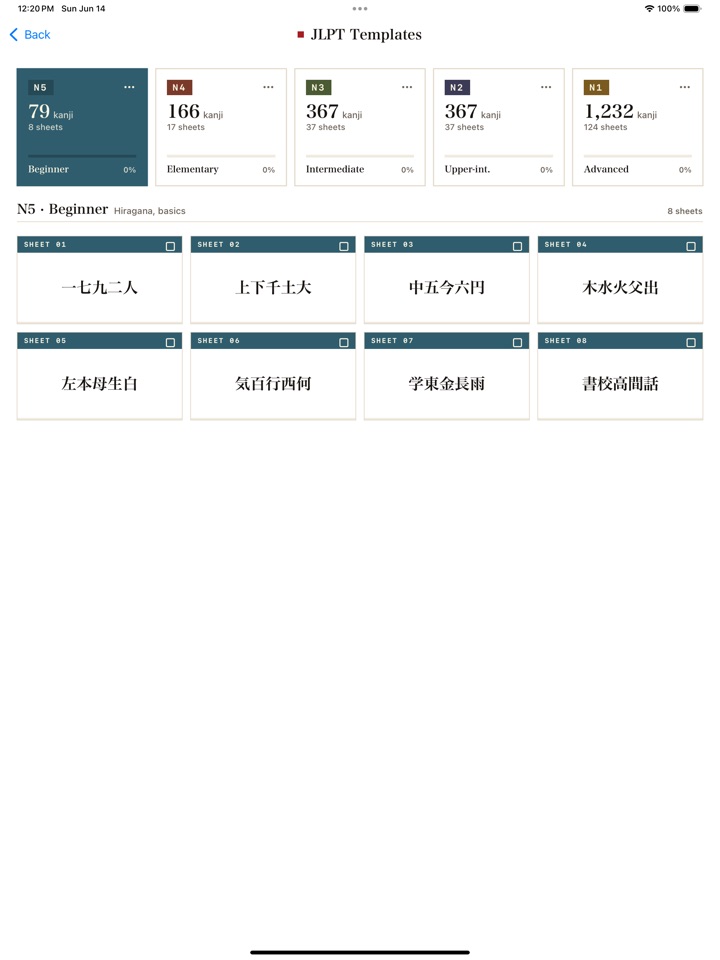
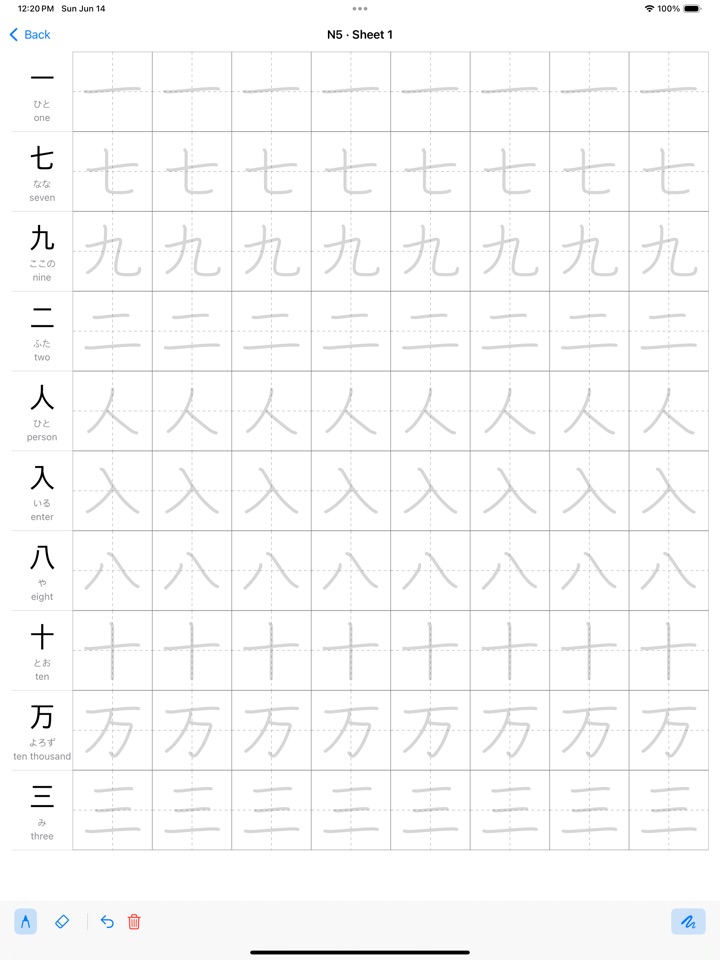
Kanji Kaku turns your iPad into a quiet, paper-style practice book for writing Japanese — the part flashcards skip. Pick a JLPT template (N5–N1), the full hiragana or katakana syllabary, or build a sheet from any kanji you choose. Then trace each character on a genkō-yōshi grid with Apple Pencil or your finger, exactly like printed practice paper — except it never runs out and never needs a printer. WRITE, DON'T JUST RECOGNIZE • Stroke-order animations for every character, with adjustable speed. • A faint trace overlay you can switch off as your confidence grows. • Pen and eraser with undo — practice, clear, repeat. • Tap any character for readings (on'yomi / kun'yomi), meanings, and stroke count. BUILD YOUR OWN SHEETS • Search by reading or English meaning, or paste kanji from anywhere. • Drag to reorder, up to ten characters per sheet. • Star characters you keep getting wrong into a quick drill set. • Track which template sheets you have practiced. DESIGNED FOR FOCUS • Works fully offline. No account, nothing to sign up for. • Your worksheets stay on your iPad, encrypted at rest. • A clean, paper-inspired design that stays out of your way. FREE AND PRO Kanji Kaku is free to use with the N5 and N4 templates, the kana sets, and one new custom sheet per session. The free version shows a small banner ad. Kanji Kaku Pro is a single one-time purchase — no subscription — that removes ads, unlocks the N3, N2, and N1 templates, and lets you build unlimited custom sheets. Whether you are starting with N5 or polishing N1, Kanji Kaku gives you unlimited practice paper for the one skill apps usually leave out: writing. Dictionary and stroke data: KANJIDIC2 (EDRDG) and KanjiVG (CC BY-SA 3.0). Full attributions are in the app's Credits screen.


