Fresh from Shipaton

Gevel: Gym Log & Progression
Gevel is in Spanish: the screens, the exercise library and every number
Loading activity…
2026Shipaton
CategoryHealth & Fitness
DeveloperMARCELO ALEJANDRO CRUZ SEGURA
iPhone · iPad



About this app
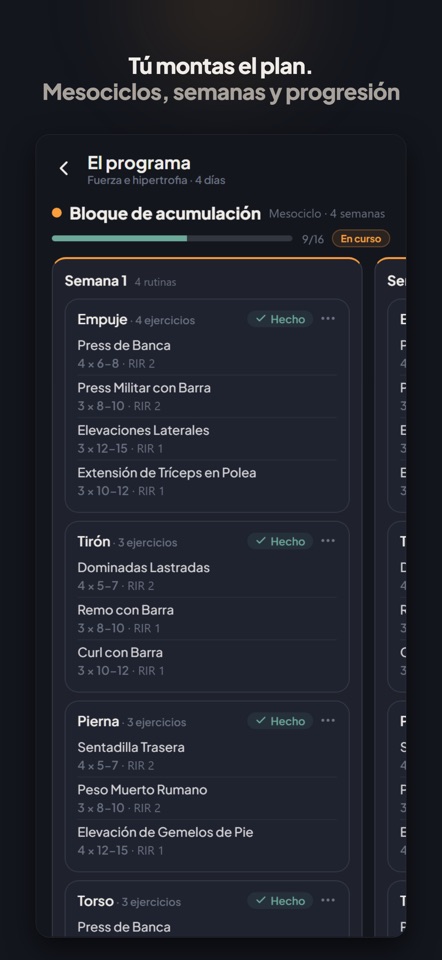
Gevel is in Spanish: the screens, the exercise library and every number inside the app are in Spanish. This listing is in English so you know exactly what you are getting. How do you know if you are progressing or stuck? Logging workouts is easy. Knowing whether what you do is working is not. Gevel takes what you already write down —sets, reps, weight, effort— and gives you back what you actually want to know: whether you are progressing or stuck, and where every number comes from, so you can argue with it. LOG THE SET AND KEEP TRAINING · Weight, reps and RIR/RPE on the same screen, no menus. · Its own keypad with + and − to adjust weight and reps on the fly. · Supersets, warm-ups, drop sets and sets to failure. · Exercises by reps, by time or by distance. · 506 exercises with the muscles they work, plus your own if one is missing. YOUR PROGRAM, YOUR WAY · Build routines and multi-day programs, and train straight from them. · You set the order: train whichever day you feel like, skip one or fit it in when it suits you. The plan moves with you, it does not drag you along. · Swap an exercise mid-workout without breaking the session. · Before you start, see what your plan actually trains: sets per muscle, frequency and split. No verdicts: the numbers are yours. · Every workout is saved with the exact version of what you did that day. · Your body weight counts: your pull-up does not weigh the same as someone else's, and added weight or assistance count too. THE NUMBERS THAT MATTER, EXPLAINED · Volume per muscle, week by week, with a reference range. · Effective sets: the ones close to failure, not the warm-ups. · Your strength on your main lifts, with the band of your normal variation — which is what tells a real gain from a good day. · Balance between push, pull and legs, and split by muscle group. · Consistency: which weeks you hit and which slipped away. YOU DECIDE, GEVEL ORGANISES Every calculated number can be tapped to see where it comes from, and corrected if it does not fit. Nothing here decides for you or hides anything: if a number looks wrong to you, you are in charge. BUILT FOR THE GYM · Dark screen, one hand, between sets. · Works without signal: you log as usual and it syncs on its own when you are back. · No feed, no likes, nobody to follow. WHAT IT DOES NOT DO It does not tell you what to train, does not sell you a fixed plan, and does not sell or hand your data to anyone. You can delete your account and your whole history from inside the app, whenever you want. Gevel is written with the people who use it: there is a button inside to tell us what is missing. A good part of this list is here because someone asked for it. GEVEL PRO — WHAT IT COSTS AND HOW TO CANCEL Try all of Gevel without paying: your first 14 days or your first 8 workouts, whichever lasts longer. After that comes Gevel Pro, which gives you unlimited workouts and all your analytics. · Gevel Pro monthly: 12,49 €/month. · Gevel Pro yearly: 89,99 €/year. Launch offer until 31 December 2026: 7,49 €/month for the first twelve months, or 74,99 € for the first year. Apple allows one introductory offer per account, so if you have already used it on Gevel you pay the price above. Prices are in euros; your App Store shows the equivalent in your local currency. Payment is charged to your Apple account when you confirm the purchase. The subscription renews automatically at the end of each period unless you cancel at least 24 hours before. You cancel from your Apple account settings: an app cannot cancel an App Store subscription, so it cannot be done from inside Gevel. Terms of use: https://gevel.app/terminos Privacy policy: https://gevel.app/privacidad


