Fresh from Shipaton

FieldPic Checklist
FieldPic Checklist is for work that means going somewhere, checking items off a list,…
Loading activity…
2026Shipaton
CategoryBusiness
DeveloperBestForce
iPhone · iPad




About this app
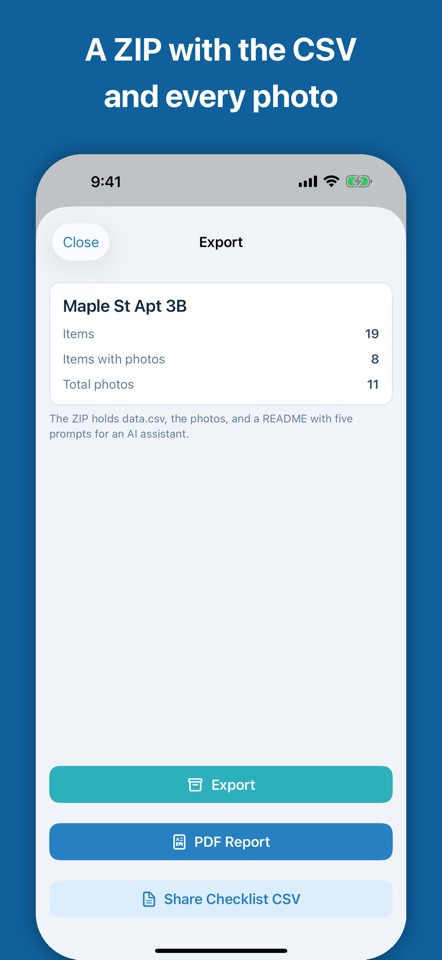
FieldPic Checklist is for work that means going somewhere, checking items off a list, and photographing each one: price surveys, property inspections, construction punch lists, stocktakes, mystery shopping, insurance claims, field research. HOW IT WORKS 1. Import a checklist. Two columns, item and category, in a CSV. Or start from a built-in template: Property Inspection, Construction Punch List, Stocktake, Mystery Shopping, Retail Price Survey. 2. Photograph each item in place. Tap the camera on any row and the photo lands on that item, already named. Take several shots, add a note, filter by category. If a photo looks blurry, FieldPic says so right after the shot, so you can retake it before you leave. 3. Export one package. A ZIP with data.csv (item, category, photo filenames, note), metadata.json, and every photo named item_001_1.jpeg in checklist order. Open it in Excel or hand it to an AI assistant. The ZIP also carries a README that describes the format and offers five prompts for the assistant: an inspection report, a comparison across sites, a price comparison, a punch list, a stocktake. Paste one of them and you are done. DESCRIBE THE JOB, GET A CHECKLIST On an iPhone with Apple Intelligence, write one sentence — "Move-out inspection of a two-bedroom apartment" — and the checklist is drafted on the device, ready to edit before you start. Nothing is sent anywhere. AI FINDINGS (PRO) FieldPic reads each item's photos and note through Apple's Private Cloud Compute and writes a short finding: the condition, anything that looks damaged or missing, what needs a closer look, and which photos to retake. When the photos show something other than the item on the list, it suggests a name, and you approve the suggestions in one list. Findings appear on the item and in the PDF report. Apple can neither read nor keep what is sent. BUILT FOR THE NEXT SITE Duplicate a project to survey the next store with the same checklist, or share the checklist CSV with a colleague so they can run it too. The imported items keep their order, so every site you survey with the list exports the same rows and results line up across locations. On site, the list bends where the site does: rename an item that turned out to be something else, or add one you found that wasn't on the list. Duplicate the corrected project and the next site starts from the fix. NO ACCOUNT, NO CLOUD Nothing leaves your phone unless you share it, with one exception you start yourself: AI Findings sends an item's photos and note to Apple's Private Cloud Compute. Everything else works fully offline. No sign-up. FIELDPIC PRO The first 2 projects are free. Pro removes the project cap, adds AI Findings, and adds a PDF report with photos and notes for every item, the document an inspector hands to a client. Monthly or yearly with a free trial, or pay once and keep it. Designed for iPhone. Uses a light appearance for legibility outdoors. Requires iOS 27 or later. Drafting a checklist with Apple Intelligence needs an iPhone that supports it, and AI Findings needs one that supports Private Cloud Compute and a network connection; every other feature works on any supported iPhone. Terms of Use: https://fieldpic.app/terms Privacy Policy: https://fieldpic.app/privacy


