Fresh from Shipaton

FaceSeal: Their Icons on Faces
FaceSeal lets you replace the faces in your photos with social media icons, text, emo…
Loading activity…
2026Shipaton
CategoryPhoto & Video
DeveloperKaoru Enomoto
iPhone · iPad


About this app
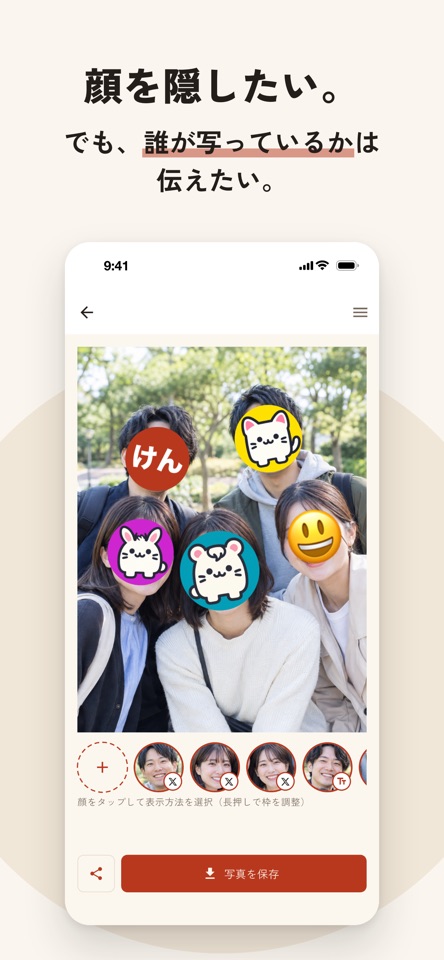
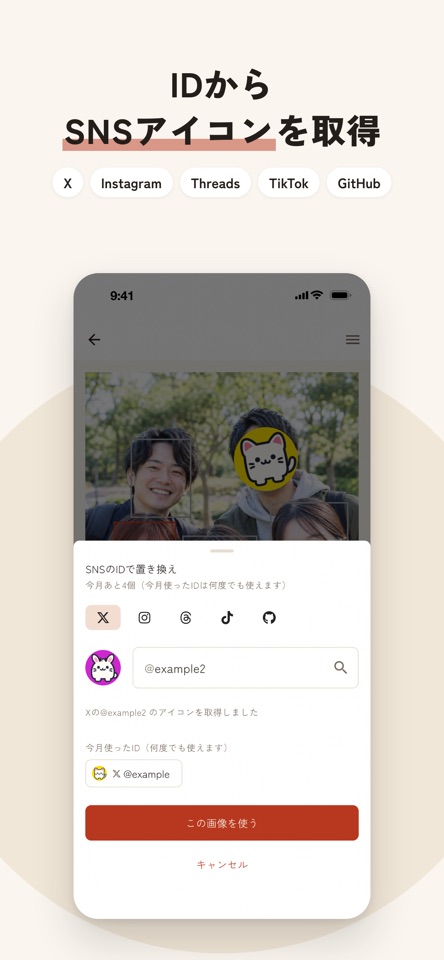
FaceSeal lets you replace the faces in your photos with social media icons, text, emoji, and more. Don't want to show faces? But still want people to know who's in the photo? For moments like that, put a favorite icon on each face, like stamping a "seal" that fits each person. Made for people who are active online without showing their face and are known by their icon. Great for group photos from meetups and fan events, and for family photos too. ■ Great for ・Finishing a group photo from a meetup or event with everyone's social icons ・Posting a photo with friends who don't show their faces online ・Choosing per person: leave as is, use an icon, or apply a mosaic ・Adding a mosaic afterward over just the strangers caught in the photo ■ Choose a style for each face ・Leave as is: for people who are fine showing their face ・Social media icon: enter a handle to use that person's icon image (works with X, Instagram, Threads, TikTok, and GitHub) ・Text icon: make a round icon from a name or nickname. You can change the font and color too ・Emoji: hide a face quickly with any emoji you like ・Mosaic: a classic blur You can also trace over any area that wasn't detected as a face to add a mosaic with your finger. ■ How to use 1. Pick a photo, and FaceSeal detects the faces automatically 2. Tap a face to choose who to edit 3. Choose how to show that face 4. Save or share the finished photo You can also select several faces at once. ■ Your photos are processed on your iPhone Face detection, editing, and compositing all happen on your iPhone. Your photos are never uploaded to an external server. ■ Before you use it ・Face detection isn't perfect. Faces in profile, small faces, or dark photos may be missed. Please check the result before saving ・Please get permission before using someone else's social media icon


