Fresh from Shipaton

disquette - setup code vault
Disquettes remind what the Home app forgets: the configuration codes.
Loading activity…
2026Shipaton
CategoryUtilities
DeveloperGianpiero Spinelli
iPhone · iPad · Apple Watch




About this app
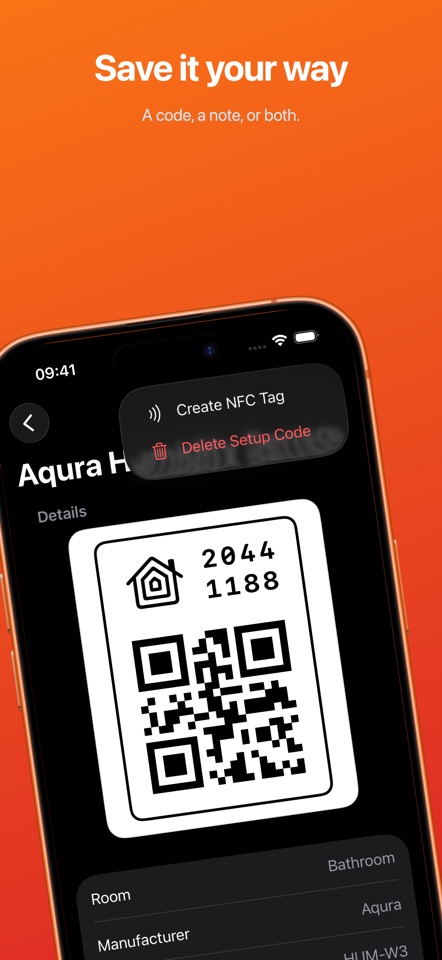
Disquettes remind what the Home app forgets: the configuration codes. Disquette is the HomeKit companion for setting up home automation. Every HomeKit accessory has a pairing code. It is printed on a sticker you peel off and lose, or on the box you recycle. Then one day you have to reconfigure a light after a network change, or set up a bridge on a new phone, and the code is gone. You find yourself on a ladder with a flashlight, peeling the device off the wall to read a faded label two years ago. Disquette solves the problem. It reads your Apple Home and provides you with a complete and searchable inventory of your home automation configuration: every house, room, and accessory, with the details that identify each device — manufacturer, model, serial number, and firmware. It allows you to save each person’s configuration code, entered by hand or captured by the QR code, with an optional note. What you get: - Browse every house, room and accessory known by HomeKit - Manufacturer, model, serial number and firmware for each device - Scan a configuration QR code or enter the code - Keep a note together with each code - Search everything and group by room, type of device or presence of saved code - Filter devices still in HomeKit compared to those removed - Copy any code saved with a touch - App Intents The labels fade. The boxes are recycled. Keep the documentation of your home automation configuration in a place that won’t do it. Terms of service https://www.apple.com/legal/internet-services/itunes/dev/stdeula/


