Fresh from Shipaton

2026Shipaton
CategoryEntertainment
DeveloperVolodymyr Chornonoh
iPhone

About this app
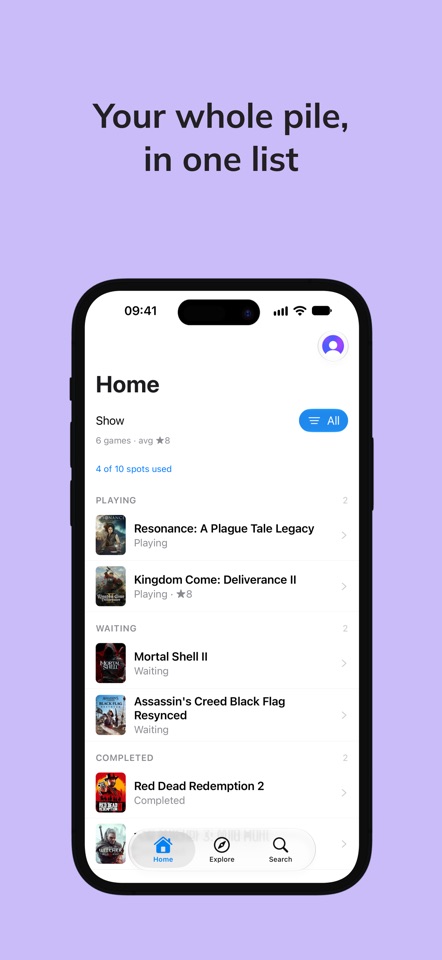
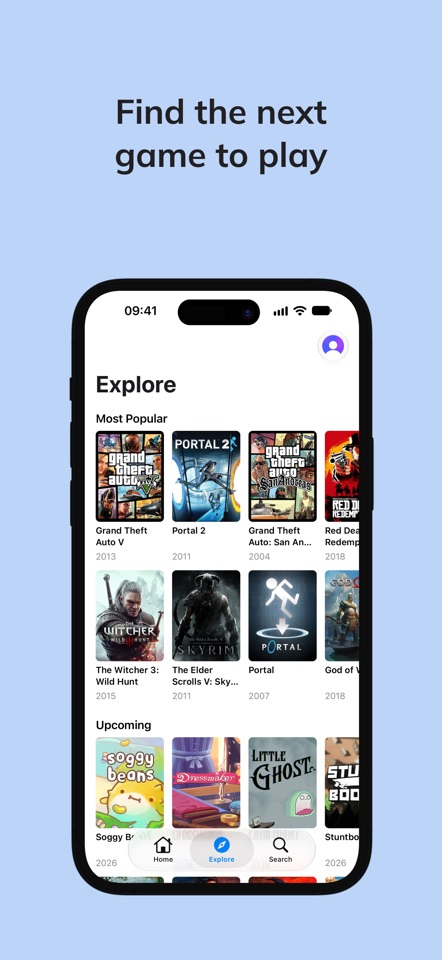
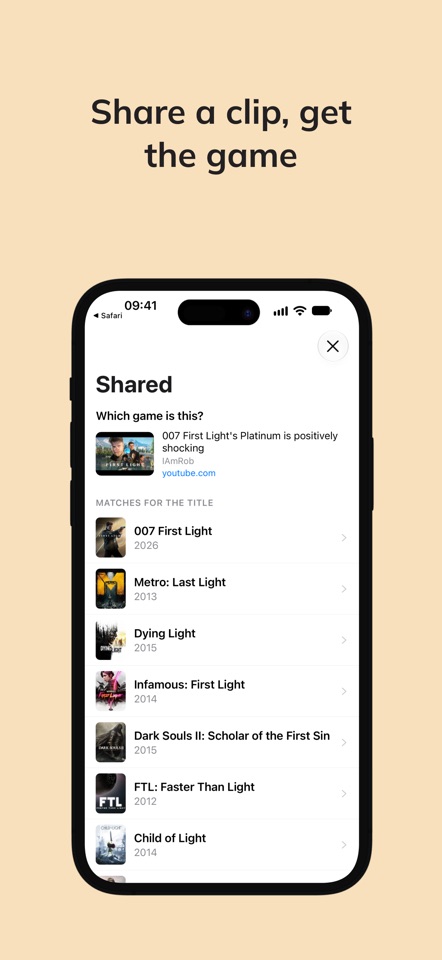
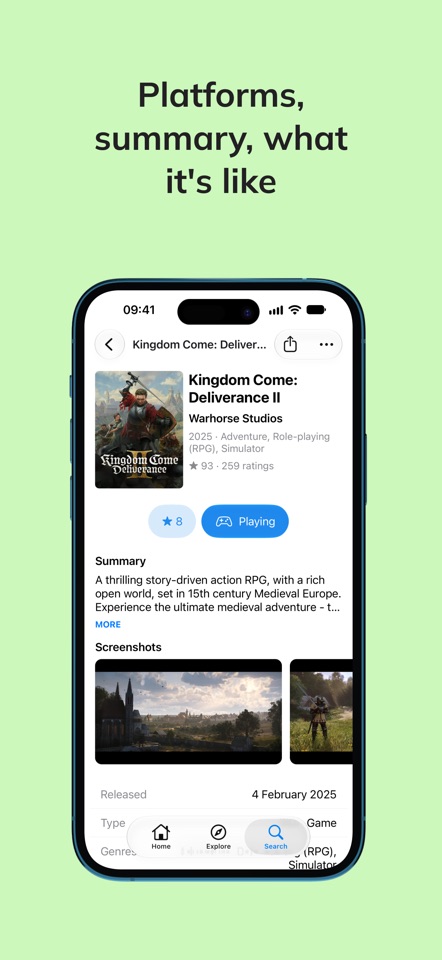
You own more games than you'll ever finish. Barklog is where you keep track of them anyway. Add a game, then mark it waiting, playing, completed, or abandoned. That's the whole system. Whatever you're playing sits at the top, so the game you're actually in the middle of is the first thing you see. ABANDONED IS A REAL ANSWER Most trackers give you a "finished" box and quietly assume you'll get there. You won't. Barklog lets you say so in one tap and stop thinking about it. No judgement. FIND THE NEXT ONE Explore shows what's popular, what's coming out, and what just landed. Already know the name? Search for it. Tap any game for its cover, platforms, genres, who made it, what the ratings look like, and which games it's similar to. SHARE A VIDEO, PICK THE GAME You're watching a clip of some game and you can't work out what it is. Share the video to Barklog from YouTube or TikTok and it figures out which game the clip is about, then hands you the candidates to pick from. All it reads is the video title and the channel name. TEN AT A TIME, FREE Barklog is free for ten unfinished games: the ones waiting, and the ones you're partway through. Finish one, or admit you're done with it, and the slot comes back. Games you've completed or abandoned never count against the ten, so the shelf behind you can get as long as it likes. Premium takes the cap off. Nothing else changes. GAME DATA Every cover, release date, platform, genre and summary in Barklog comes from IGDB, a games database its community maintains. BARKLOG PREMIUM Barklog Premium removes the ten-game cap and nothing else. It comes as two auto-renewable subscriptions, Barklog Premium Monthly and Barklog Premium Yearly, both starting with a 7-day free trial. The price for your region is shown in the app before you subscribe. Payment is charged to your Apple Account at the end of the free trial. The subscription renews automatically unless you turn off auto-renew at least 24 hours before the period ends; your Apple Account is charged for renewal within 24 hours of the end of the current period. Manage or cancel it in your Apple Account settings. Terms of Use (EULA): https://www.apple.com/legal/internet-services/itunes/dev/stdeula/ Privacy Policy: https://barklog.gg/privacy Barklog terms: https://barklog.gg/terms Support: https://barklog.gg/support


